테라폼
코드를 통해 인프라 서버를 구축/운영 할 수 있게 해주는 오픈 소스 소프트웨어
* 문자인코딩 - utf-8
0. 구성도

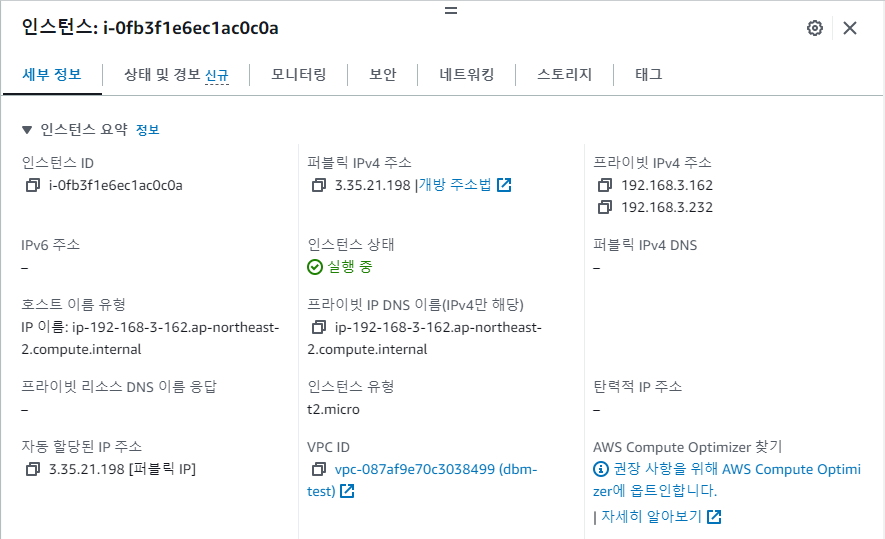
1. 적당한 인스턴스 생성
2. 테라폼 설치
https://developer.hashicorp.com/terraform/install
Install | Terraform | HashiCorp Developer
Explore Terraform product documentation, tutorials, and examples.
developer.hashicorp.com
sudo yum install -y yum-utils
sudo yum-config-manager --add-repo https://rpm.releases.hashicorp.com/RHEL/hashicorp.repo
sudo yum -y install terraform
쉘 탭 자동완성
terraform -install-autocomplete
vim 테라폼 플러그인
git clone https://github.com/hashivim/vim-terraform.git ~/.vim/pack/plugins/start/vim-terraform
루비 설치
sudo yum -y install ruby
테라폼 파일 작성
참조 사이트
https://registry.terraform.io/providers/hashicorp/aws/latest/docs/resources/instance
Terraform Registry
registry.terraform.io
vim ec2.tf
resource "aws_instance" "tf-ec2-1" {
  instance_type = "t2.micro"
  tags = {
          Name = "tf-ec-1"
  }
}
Quick start tutorial
https://developer.hashicorp.com/terraform/tutorials/aws-get-started/install-cli#quick-start-tutorial
Install Terraform | Terraform | HashiCorp Developer
Install Terraform on Mac, Linux, or Windows by downloading the binary or using a package manager (Homebrew or Chocolatey). Then create a Docker container locally by following a quick-start tutorial to check that Terraform installed correctly.
developer.hashicorp.com
맨 처음 도커 설치
sudo yum -y install docker
sudo systemctl start docker
sudo systemctl status docker
mkdir learn-terraform-docker-container
cd learn-terraform-docker-container
vim myfile.tf
terraform {
  required_providers {
    docker = {
      source  = "kreuzwerker/docker"
      version = "~> 3.0.1"
    }
  }
}

provider "docker" {}

resource "docker_image" "nginx" {
  name         = "nginx"
  keep_locally = false
}

resource "docker_container" "nginx" {
  image = docker_image.nginx.image_id
  name  = "tutorial"

  ports {
    internal = 80
    external = 8000
  }
}
terraform init

Initializing the backend...

Initializing provider plugins...
- Finding kreuzwerker/docker versions matching "~> 3.0.1"...
- Installing kreuzwerker/docker v3.0.2...
- Installed kreuzwerker/docker v3.0.2 (self-signed, key ID BD080C4571C6104C)

Partner and community providers are signed by their developers.
If you'd like to know more about provider signing, you can read about it here:
https://www.terraform.io/docs/cli/plugins/signing.html

Terraform has created a lock file .terraform.lock.hcl to record the provider
selections it made above. Include this file in your version control repository
so that Terraform can guarantee to make the same selections by default when
you run "terraform init" in the future.

Terraform has been successfully initialized!

You may now begin working with Terraform. Try running "terraform plan" to see
any changes that are required for your infrastructure. All Terraform commands
should now work.

If you ever set or change modules or backend configuration for Terraform,
rerun this command to reinitialize your working directory. If you forget, other
commands will detect it and remind you to do so if necessary.
[ec2-user@ip-172-31-0-52 learn-terraform-docker-container]$ terraform validate
Success! The configuration is valid.
테라폼 플랜 - 테라폼 어플라이
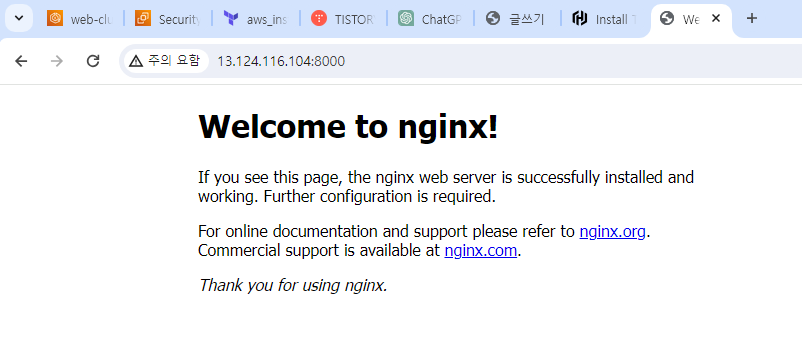
웹사이트 동작 확인